 Linkydy
"LinkedIn automation" has a deserved reputation problem: cloud bots that take your password, log in from a datacenter, and blast a thousand identical invites until the account gets restricted. Linkydy automates the repetitive part of outreach — and refuses to do the reckless part. Here is exactly what it does, how the safety model works, and what it will never do.
Personalized connection requests and messages
Write your invite once with dynamic fields — {FirstName}, {Company}, {JobTitle} — and Linkydy fills them from each lead's real profile data as it sends. "Hi {FirstName}, saw you run marketing at {Company}…" goes out as a message that reads like you typed it, because the facts in it are true.
The same fields work for follow-up messages after someone accepts. If you need starting points, steal from our connection request templates and cold outreach message templates — both written for real reply rates, not word counts.
Warm-up: reactions and comments before the invite
A cold invite from a total stranger is the weakest opener on LinkedIn. Linkydy can react to and comment on your prospects' posts before you send the request, so by the time your invite arrives, your name has already appeared in their notifications for a reason that is not asking for something. It is the digital equivalent of saying hello at a conference before pitching.
Follow-up tracking that survives a busy week
Every action Linkydy takes — invite sent, message delivered, reaction left — is logged to the lead's card in the built-in CRM with a timestamp. Statuses show who accepted, who is waiting on a follow-up, and who has gone quiet. You will never re-invite someone who declined or forget the prospect who said "ping me next month".
The safety model: your browser, your session, hard caps
Linkydy's safety story is architectural, not a promise in marketing copy:
- No password sharing. Linkydy never asks for your LinkedIn credentials. It works inside the session you are already logged into.
- No cloud IPs. Cloud tools like Expandi or Dripify log in as you from remote servers — a login pattern LinkedIn can spot. Linkydy's actions come from your own browser and your own IP, because that is where they actually happen.
- Daily caps, enforced. The extension enforces its own daily limits. You cannot ask it to send 500 invites today; it will not.
- Human-like pacing. Actions run with natural delays between them, not machine-gun bursts.
LinkedIn itself caps invitations at roughly 100–200 per week for most accounts. Linkydy's caps are designed to keep you comfortably inside that — see the full breakdown in our guide to LinkedIn connection request limits, and the broader risk discussion in is LinkedIn automation safe?
| Safety factor | Cloud automation tools | Linkydy |
|---|---|---|
| LinkedIn password required | Yes — you hand it over | Never |
| Where actions run | Remote servers, datacenter IPs | Your own browser and IP |
| Runs while you are offline | 24/7 — looks nothing like you | Only when your browser is open |
| Daily caps | Often user-adjustable upward | Enforced by the extension |
| Pacing | Varies by tool | Human-like delays, always on |
What Linkydy will NOT do
An honest automation tool needs a refusal list. Here is ours:
- No spam blasts. There is no "send 1,000 invites" button, and no setting that creates one. Caps are enforced, not suggested.
- No bypassing LinkedIn's weekly limits. LinkedIn allows roughly 100–200 invitations per week; Linkydy works within that number, not around it. Details in the limits guide.
- No 24/7 cloud bot. Linkydy runs while your browser is open. That is not a missing feature — it is the safety feature. Activity from your own machine during your own hours is what a real human looks like.
- No remote logins. Your credentials never leave you, so there is no second login location for LinkedIn to flag.
- No fake personalization. {FirstName}, {Company}, and {JobTitle} fill from real profile data. The message itself is yours to write — Linkydy will not invent flattery on your behalf.
Scale it with an AI agent — same rules apply
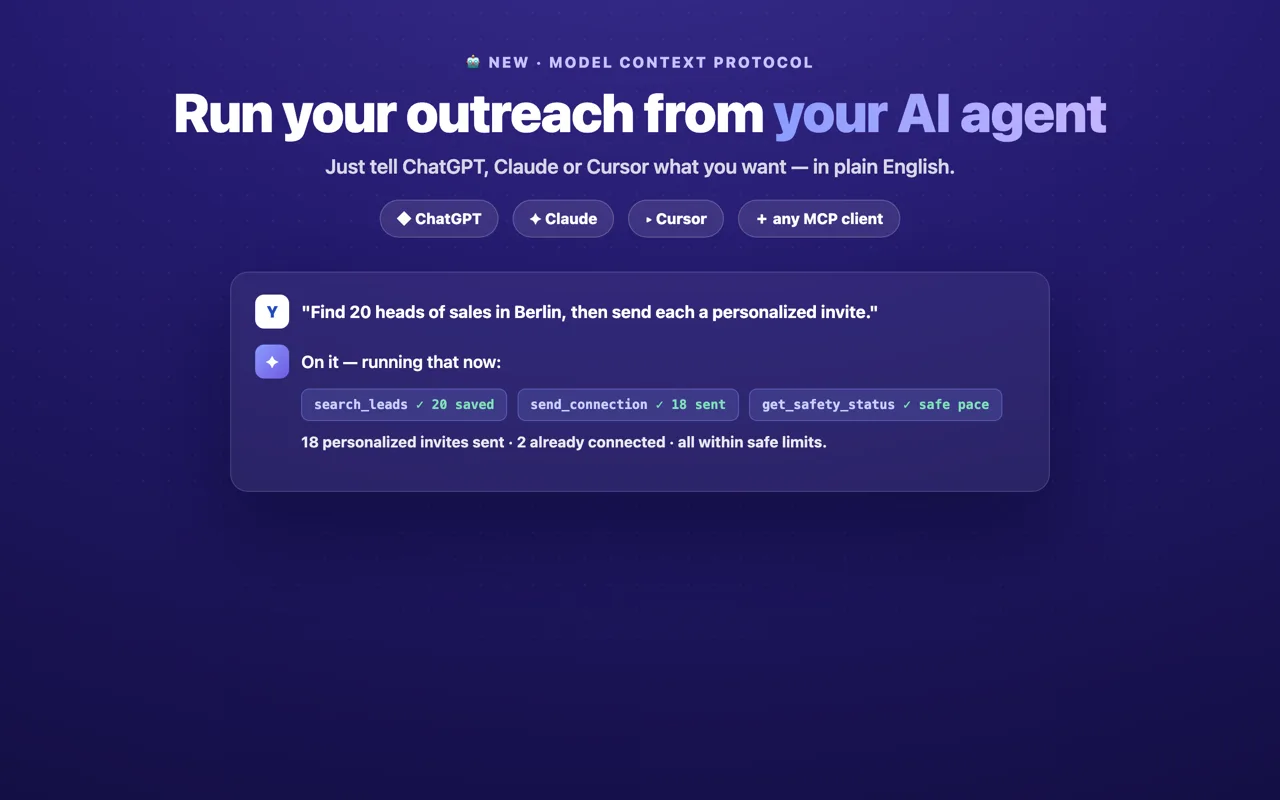
If you want outreach to run from a prompt instead of a queue, Linkydy's MCP integration lets Claude, ChatGPT, Grok, or Cursor search leads, enrich them via the email finder, and send connection requests. The important part: the AI agent goes through the same extension, so every cap and every pacing rule still applies. An agent cannot blast any more than you can.