Linkydy
The short verdict: choose Dux-Soup if you want the classic auto-visit/auto-connect workflow you may already know, or if Turbo's drip funnels and CRM integrations map to a process you've run for years. Choose Linkydy if you want the same in-browser safety with a current-decade interface, email and phone finding built in instead of third-party credits, real lead statuses and notes, and the option to run everything through an AI agent via MCP.
| Linkydy | Dux-Soup | |
|---|---|---|
| Architecture | Chrome extension in your own session | Chrome extension (cloud on top plans) |
| LinkedIn password required | No | No (browser plans) |
| Email finder built-in | Yes, 1-click on any profile | Via third-party credits |
| Phone finder | Yes | No |
| CRM statuses & notes | Statuses, notes, history | Tags and notes, basic |
| CSV export & import | Yes, incl. URL import | Yes |
| AI agent (MCP) | Yes — Claude, ChatGPT, Grok, Cursor | No |
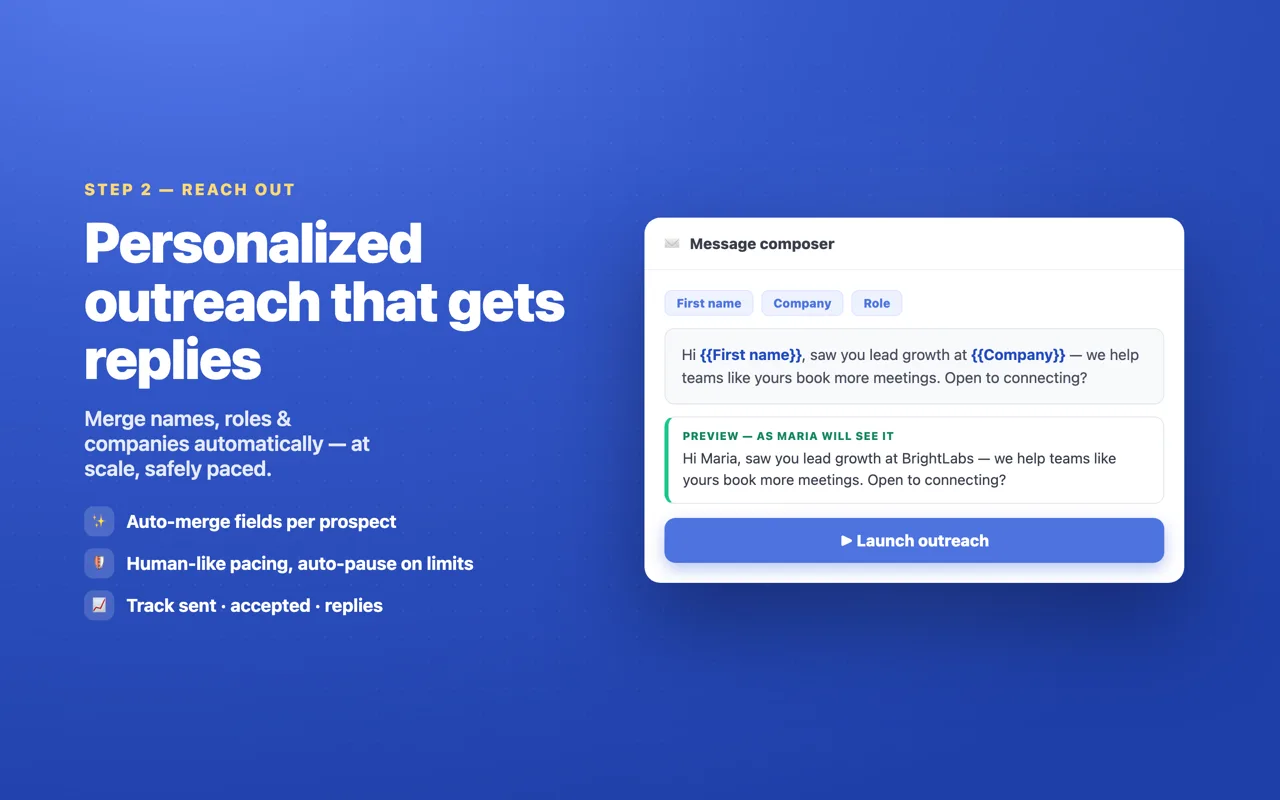
| Personalization fields | {FirstName}, {Company}, {JobTitle} | Yes, in messages |
| Free tier | Yes — free credits, no card | Free starter version |
| Starting price | Free; paid plans for higher limits | Pro from ~$15/mo; Turbo ~$55/mo |
Respect for the veteran — and its age
Dux-Soup earned its user base honestly: it made "visit 100 profiles so some visit back" a repeatable tactic and has kept a browser-first architecture that avoids password sharing — the same safety logic Linkydy is built on. If you want the case for that architecture spelled out, it's in is LinkedIn automation safe?.
But the product shows its age where you work every day. Configuration lives in dense option panels, campaign logic takes real setup time, and the interface looks and feels like the era it came from. None of that stops it working; all of it adds friction, daily. Linkydy's dashboard was designed around the loop you actually run — collect, enrich, reach out, follow up — with the settings that matter surfaced and the rest handled by defaults and enforced daily caps (see LinkedIn's connection limits for why caps matter).
Email finding: native vs bolt-on
Dux-Soup can surface email addresses, but for business emails beyond your connections it leans on third-party credit bundles — a separate purchase, a separate integration, another moving part. Phone numbers aren't part of the picture.
Linkydy treats enrichment as a first-class feature: 1-click "Find Email" and "Find Phone" on regular profiles and Sales Navigator profiles, results saved straight to the lead card, and everything included in CSV export — name, title, company, profile URL, email, phone, status — for whatever tool comes next in your stack.
Funnels vs pipeline
Dux-Soup Turbo adds drip campaigns and a funnel view, which works if your outreach is a fixed sequence: visit, wait, connect, wait, message. Linkydy models the messier reality of prospecting — some leads need a note ("met at SaaStr"), some need a status ("replied — follow up in March"), some need a second channel entirely. Statuses, notes and per-lead history in the Linkydy CRM make that workable without a spreadsheet on the side. And when a lead goes quiet, a queued follow-up with {FirstName} personalization goes out at human pace — no funnel rebuild required.
The AI-agent difference
Dux-Soup automates clicks; you still do all the deciding and configuring. Linkydy is the only tool in this category an AI agent can operate: over MCP, Claude, ChatGPT, Grok or Cursor can search, save, enrich and queue outreach from a plain-English instruction, while the extension enforces pacing and caps. If Dux-Soup's option panels are the part you dread, this is the opposite end of the spectrum — and it's a two-minute setup described on the MCP page.
Comparing other extensions? See Linkydy vs Waalaxy or the full comparison hub.
Switching from Dux-Soup
Migration is mostly painless because Dux-Soup exports clean CSVs. Export your visited or tagged profiles from the Dux-Soup dashboard, keep the profile-URL column, and load it into Linkydy's CSV URL import — each lead becomes a card with name, title and company already in place. Re-enrich with the built-in email and phone finder (fresher data than what a third-party credit bundle returned months ago), then map your old Dux tags onto Linkydy statuses. Most people can move an active list in under an hour.
If you're only partway convinced, run Linkydy's free tier against your next new search while Dux-Soup finishes its current campaign — just not both sending invites on the same account in the same week.